Org Chart
Best Organizational Chart Templates for Businesses (Editable Online)
.webp)


AI Workspace for Diagrams & Collaboration
Get your team started in minutes
Sign up with your work email for seamless collaboration.
Introducing the right organizational chart template is not solely about design; it is about light. A proper org chart distributes roles, reports, and inter-departmental connections to a visual representation that is quickly interpreted by anybody within seconds. In cases of onboarding, restructuring, or deck preparations, the chosen template should consider factors like your team's engagement level, size, culture, and the anticipated speed of the change. But, the positive side of it is that you can use a ready-made solution. We shall examine and juxtapose the top five org chart templates in this post and also demonstrate the fast customization of each with Cloudairy's org chart creator.
With proper decision-making, it can be very easily seen across the different scales of businesses - startups with 12 people to enterprises with 2,000 - less confusion is the result of the right template, faster decision-making, and better cooperation between different teams. The areas of usage, design characteristics, and practical hints will be discussed so you can select a template that fits your needs today and is flexible to whatever scenario that may arise next.
A great org chart does three things consistently: it explains, it scales, and it stays current. If your chart looks pretty but people still ask “who approves this?” it has failed. Likewise, if it’s beautiful but impossible to update, it will be obsolete in a month. The best templates balance structure with flexibility, and they remain readable on slides, intranets, and mobile screens.
Key criteria to evaluate:
Below, we spotlight five proven templates that cover most business needs. Each is fully editable online and easy to share with stakeholders.
The general organizational chart template gives you a versatile, ready-to-use layout for mapping reporting lines across any company size. It’s ideal for HR directories, onboarding, or leadership presentations because it balances detail with clarity. Start with a top-down hierarchy, add departments, and expand branches as needed without breaking the layout.
Explore the template: Organizational Chart Template (General)
See more options: Organization Chart Templates & Tools
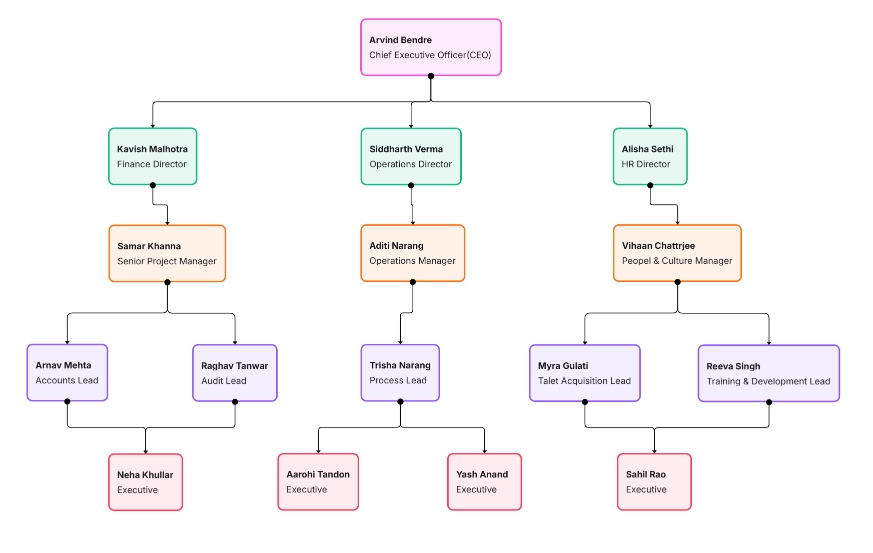
The general vibe of the simple organizational chart template is to provide you with a flexible and ready-to-use layout that is suitable for any company size and mapping reporting lines. It is suitable for HR directories, onboarding, or leadership presentations as it combines detail with clarity. You start your chart with a hierarchy from the top down, and then you keep adding departments and expanding branches without disrupting the layout.
Explore the template: Organizational Chart Template (General
See more options: Organization Chart Templates & Tools
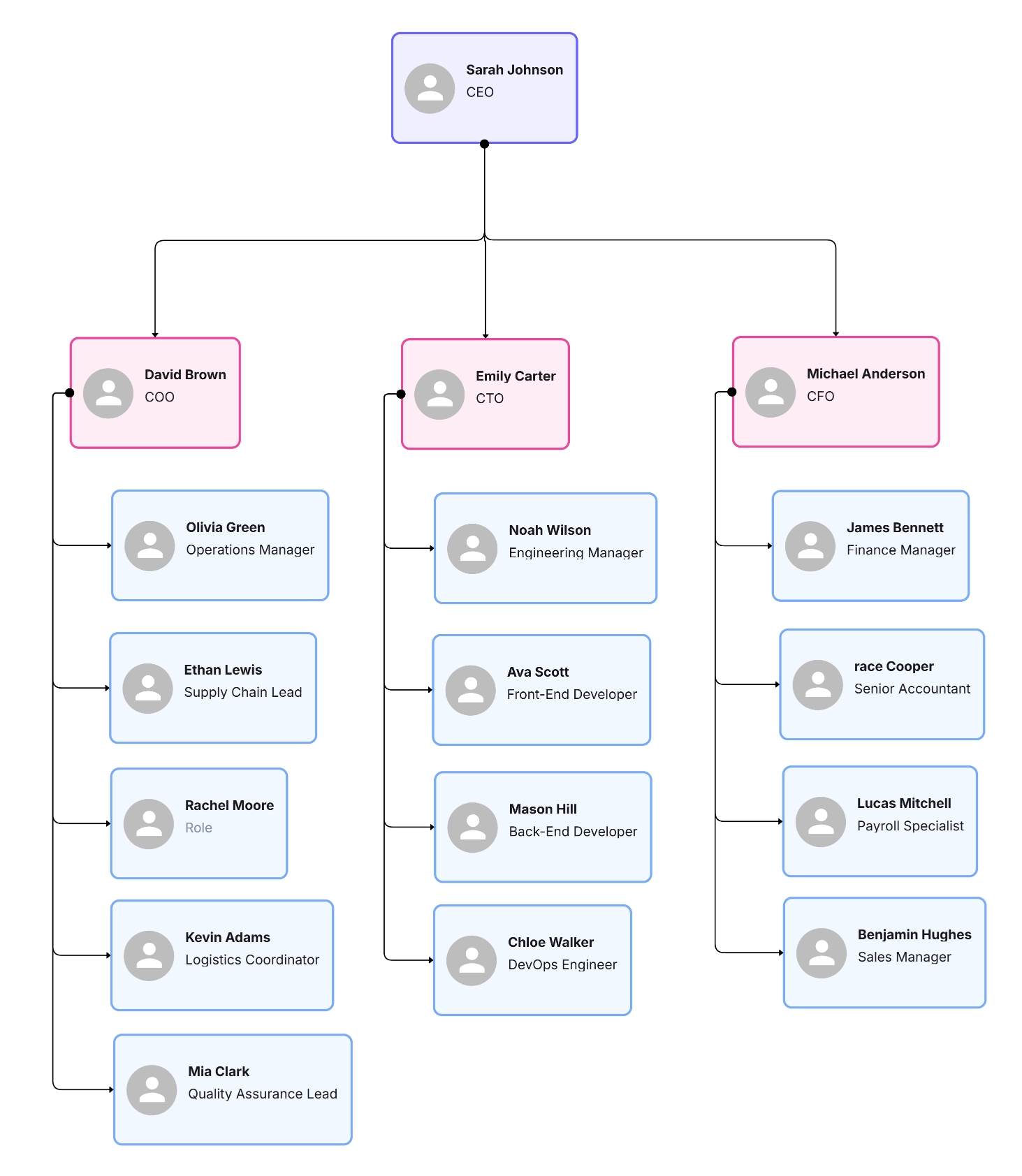
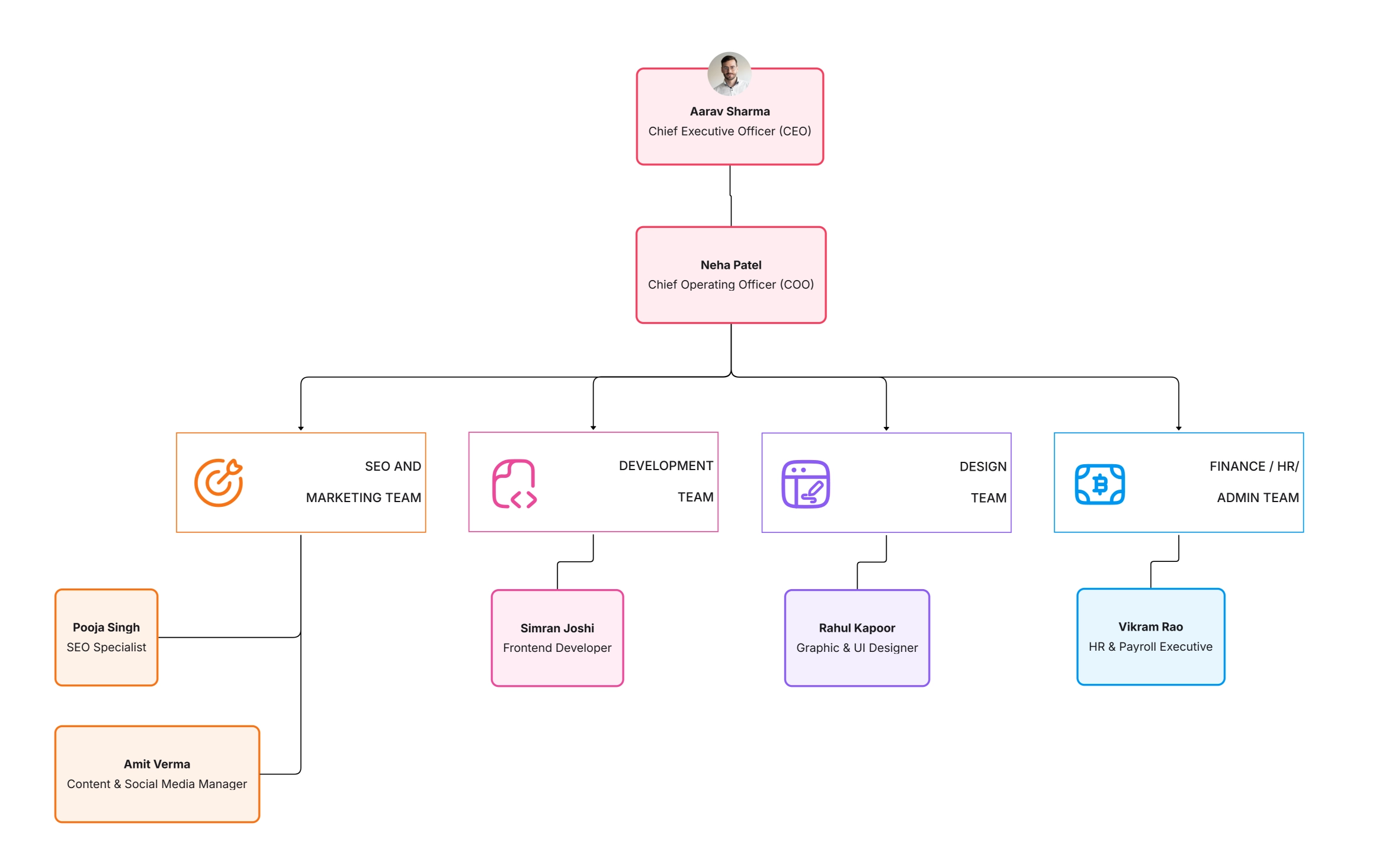
The modern organizational chart template blends accessibility and aesthetics. With generous whitespace, balanced type, and subtle lines, it reads beautifully on slides or intranets. Use it for recruiting pages, town halls, board reviews, or whenever you want your structure to reflect a design-forward culture.
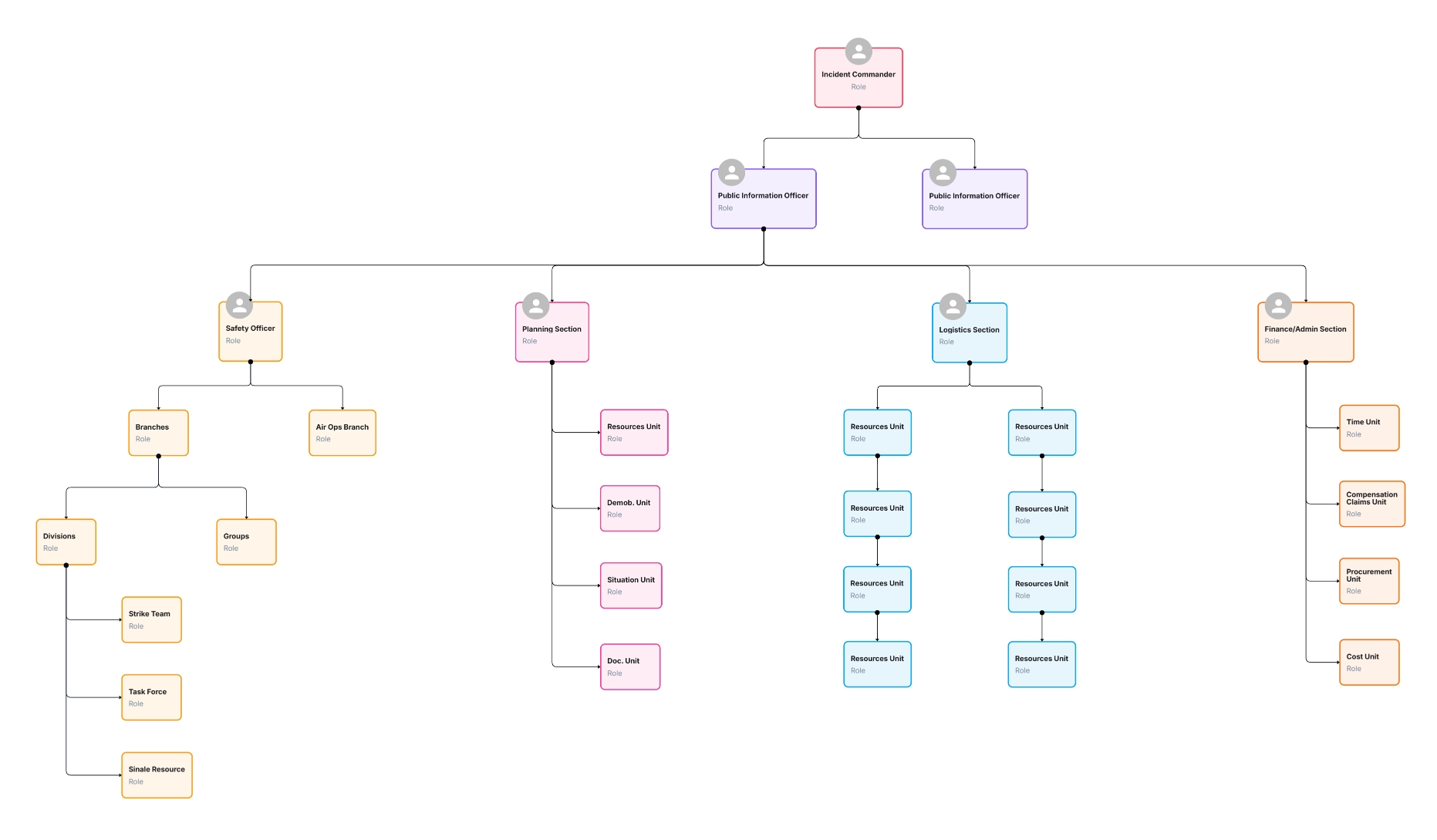
Explore the template: Modern Organizational Chart Template
Compare with: Corporate Organizational Chart Template
The startup organizational chart template supports rapid growth, overlapping responsibilities, and evolving roles. As you hire, pivot, or spin up new product lines, you can quickly add nodes, re-label responsibilities, and color-code departments to keep everyone aligned.
Explore the template: Startup Organizational Chart Template
Pair with: Simple Organizational Chart Template
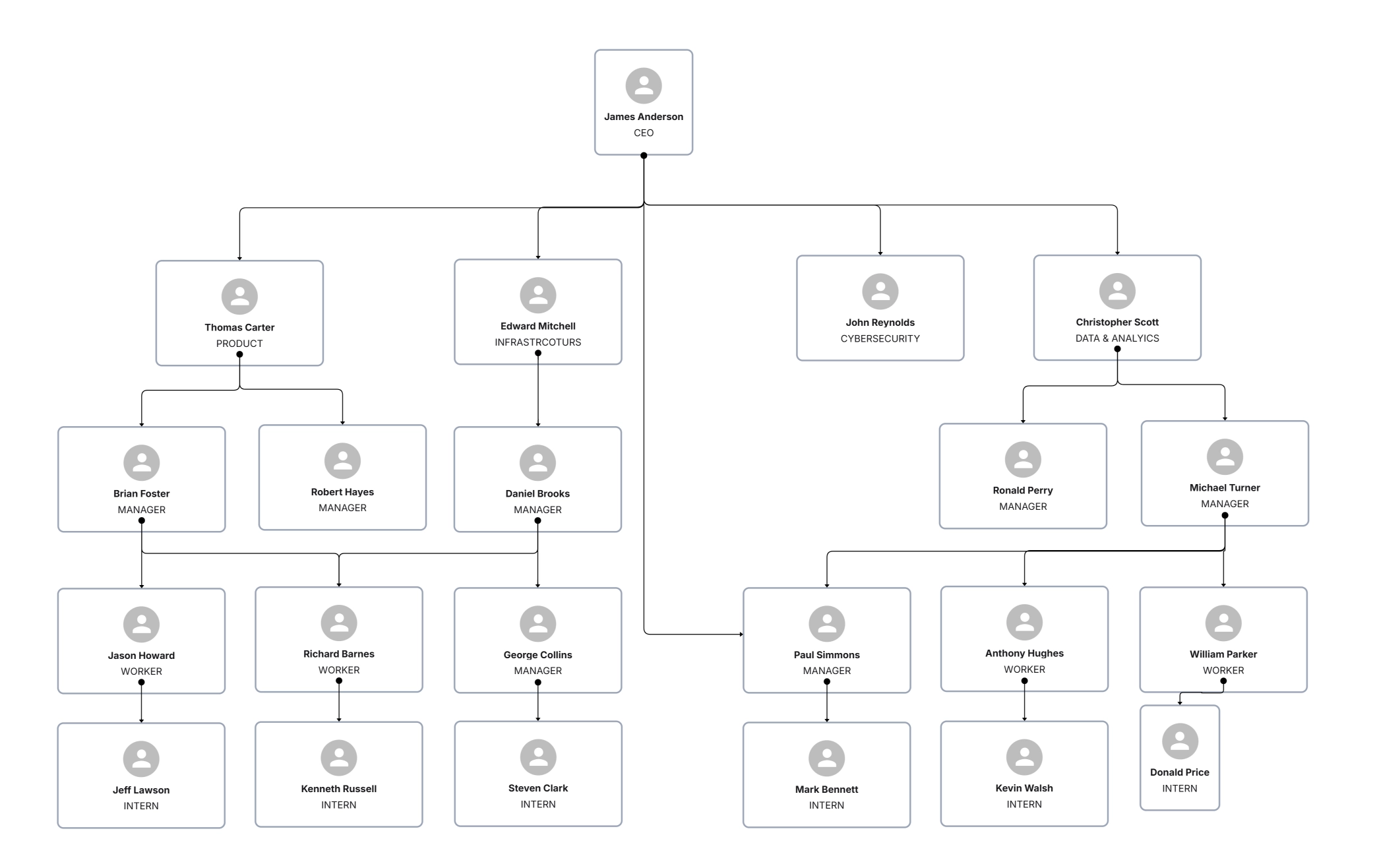
The corporate organizational chart template is built for enterprises with multiple leadership levels, divisions, and shared services. It delineates executive tiers, major departments, and supervision layers so decision rights, compliance ownership, and operational lines are unambiguous.
Explore the template: Corporate Organizational Chart Template
Discover more: Organization Chart Templates & Tools
Static files go stale fast. An online org chart maker keeps your structure current and widely accessible—no more duplicate screenshots or lost versions. In Cloudairy, you can drag and drop nodes, apply department colors, embed photos, and publish a live link that always shows the latest chart.
Try the tool: Org Chart Maker – Online
If you’re uncertain where to start, use this quick decision guide to narrow your options based on size, complexity, and audience:
The goal is not to pick one forever but to pick one that fits your current stage—and can evolve with you.
You can build a professional org chart quickly by following a simple workflow:
1. Map the leadership layer first
2. Add departments and teams
3. Apply color and node details
4. Share, embed, and iterate
Even good charts can mislead if they’re unclear or outdated. Watch for these pitfalls:
This visual reinforces readability and responsiveness key benefits of using an online org chart maker.
The “best” organizational chart is the one people can read, trust, and keep current. Start with a template that fits your structure today General, Simple, Modern, Startup, or Corporate then evolve as your team grows. With Cloudairy’s Org Chart Maker, edits take minutes, not hours, and your chart becomes a living source of truth for hiring, onboarding, and decision-making. Structure should accelerate your work, not slow it down choose a template that makes clarity your default.
1. Which template is easiest for a small, fast-growing team?
2. How do I show cross-team collaboration without clutter?
3. Can I export charts for board or investor meetings?
Start using Cloudairy to design diagrams, documents, and workflows instantly. Harness AI to brainstorm, plan, and build—all in one platform.
Table of Contents

Introduction
 Manage all your work in one placeCollaborate with your teamUse Cloudairy for FREE—forever


 Related Articles



.webp)