hero-bg-pricing

Get your team started in minutes

Sign up with your work email for seamless collaboration.

c4 diagrams
Technical Diagramming

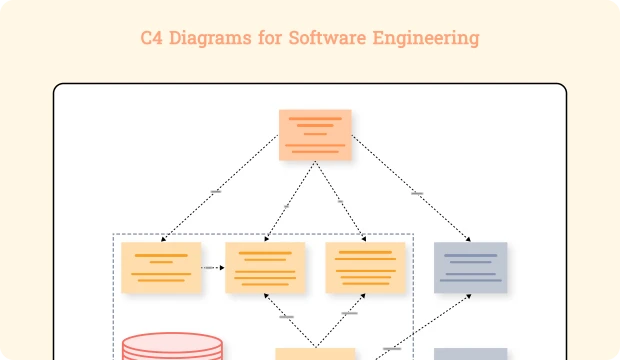
C4 Diagrams for Software Engineering

Author
Cloudairy
By Cloudairy Team
January 10, 2026
10 min read

C4 diagrams are a visual representation of software architectures that are orderly and easy to understand. The C4 model divides the architecture development into four layers Context, Containers, Components, and Code—thus making it possible for both the technical and the business teams to grasp the system design. Besides, these diagrams facilitate teamwork, lessen misconceptions, and improve the quality of documentation, hence they are considered as very important tools for the drawings of computer software architecture diagrams in the modern world. On the other hand, through this method, the development teams have the opportunity to express themselves without any ambiguity, reach a common ground on the design choices, and still be in synchrony as the projects progress.

What Is the C4 Model?

C4 model is a hierarchical manner for the visualization of software architecture that has been devised to make things less complex and to enhance communication. The architectural details are divided into four levels that are progressively higher, thus allowing the different audience to get the presentation according to their needs.

  • Level 1: Context Diagram:
    This highest-level diagram shows the software system's size, showing its relations with users, other systems, and environments, providing a concise overview suitable for all stakeholders.
  • Level 2: Container Diagram:
    At this level, the system is division into major containers such as applications, tables, and microservices, showing how these structures collaborate and their key responsibilities.
  • Level 3: Component Diagram:
    Diving deeper, this diagram breaks sections into internal components, revealing the system’s modular structure and detailing interaction and responsibility within containers.
  • Level 4: Code Diagram:
    The most detailed view shows classes, functions, and code relationships inside parts, making dependencies and designs clear for developers.

How to Create C4 Diagrams

Follow a four-step process aligned with the C4 model to build effective software architecture diagrams.

  • Step 1: Define System Context:
    Clearly identify all users, other systems, and operating environments that your software is supposed to interact with in order to assign the scope of the overarching architecture.
  • Step 2: Identify Containers:
    the system is divided into prime components of technology such as the web application, service, and database, where they are assigned their duties and data flow.
  • Step 3: Break Down Components:
    Detail the internal parts residing within each case, defining their responsibilities and dependencies.
  • Step 4: Detail Code Elements:
    Create low-level UML or class diagrams representing the internal class structures and connections of each component.

Common Use Cases for C4 Diagrams

C4 diagrams are versatile and used in various software engineering contexts:

  • Enterprise Applications:
    To visualize complex, multi-team systems with diverse integrations clearly.
  • Microservices Architectures:
    To represent distributed architecture at multiple detail levels, aiding autonomous team management.
  • Legacy System Modernization:
    Mapping existing layered and component structures to facilitate refactoring or migration.
  • Onboarding and Training:
    Quickly bringing new developers up to speed by visually explaining system architecture.

Best Practices for Effective C4 Diagrams

Maximize diagram impact by following these proven guidelines:

  • Maintain Consistency:
    Use standardized visual styles, colors, and icons to ensure clarity.
  • Tailor Detail Levels:
    Adjust the diagram complexity based on the audience’s technical proficiency.
  • Annotate Clearly:
    Add descriptive notes and labels to clarify non-obvious aspects or decisions.
  • Update Regularly:
    Keep diagrams current to reflect system evolution and prevent documentation decay.

Tools and Resources for C4 Diagramming

  • Cloudairy Tool:
    Easily create detailed C4 diagrams with AI-assisted features, collaborative editing, and export options.
  • Access a rich library of prebuilt C4 model templates customizable for your needs.
  • Explore our blog resources and advanced guides to deepen your understanding of software architecture visualization.

Conclusion

The C4 model revolutionizes software architecture visualization by breaking down complex systems into clear, layered perspectives. Incorporating C4 diagrams into your software architecture diagrams toolkit enables better communication, more effective documentation, and agile iterative development. Use Cloudairy’s powerful tools and templates to build precise diagrams that enhance collaboration and help steer your projects toward success.

Ready to create smarter with AI?

Start using Cloudairy to design diagrams, documents, and workflows instantly. Harness AI to brainstorm, plan, and build—all in one platform.

Recommended for you
Using Flow Diagrams in Agile Teams
Technical Diagramming