Technical Diagramming
How to Design a High-Level System Architecture Diagram



Get your team started in minutes
Sign up with your work email for seamless collaboration.
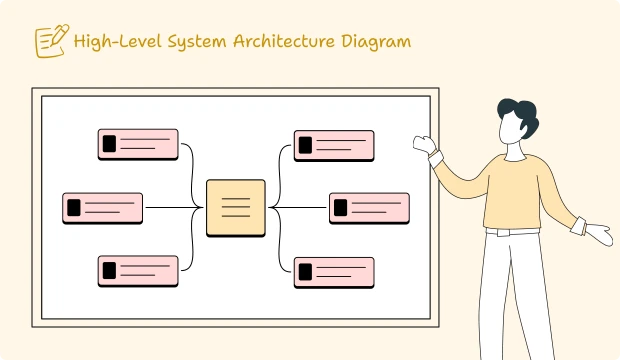
A system architecture diagram at high level is a general, high-level plan of a software system that by design leaves out implementation detail. System architecture diagram defines the overall scope, major building blocks, and how they fit together. Unlike lower-level technical images, who uses the system, what core applications are involved, where data resides, and which outside services the system relies on are highlighted. This artifact grounds discovery, governance, and roadmapping planning.
If you want to skip ahead and design your own, try the High-Level Architecture Diagram Template in Cloudchart.
A high-level architecture diagram is a very broad high-level blueprint or conceptualization of a software system that deliberately leaves out implementation details. It builds the frame for the overall scope, names major building blocks, and puts down clarifications about the relationships among the blocks. Unlike low-level technical views whose focus is mainly on interactions between parts of the system, the emphasis here is on who the parties are that interact with the system, what core applications participate in the interactions with each other, where data live, and which external services the system depends on. This artifact anchors discovery, governance, and roadmap planning.
Drawing a high-level architecture before starting work ensures that the entire team operates on a shared foundation. It helps define the problem space and therefore narrows down the scope and lays expectations about interfaces and responsibilities. The earlier a big-picture agreement can be hashed out, the less likely it is the teams will later have to rehash inconsistencies when trying to produce C4 or UML diagrams for the implementation detail.
Think of it as the “north star” that guides more detailed diagrams.
Whenever I teach someone how to design a high-level architecture diagram, I emphasize using consistent icons and meaningful names that make sense to your own team. Avoid going too deep into technical details it is something I had to learn early in my career. The big focus should always stay on people, main systems, storage layers, and any outside systems you depend on. I like arranging everything simply, grouping related boxes, and adding arrows or labels that clearly explain the flow. This way, even somebody seeing it for the first time can understand the big picture in about a minute. Keep the tone straightforward and describe purpose, not the inner workings that is what your technical documentation is for.
You can easily refer to the System Architecture Design Diagram Template to kick things off efficiently.
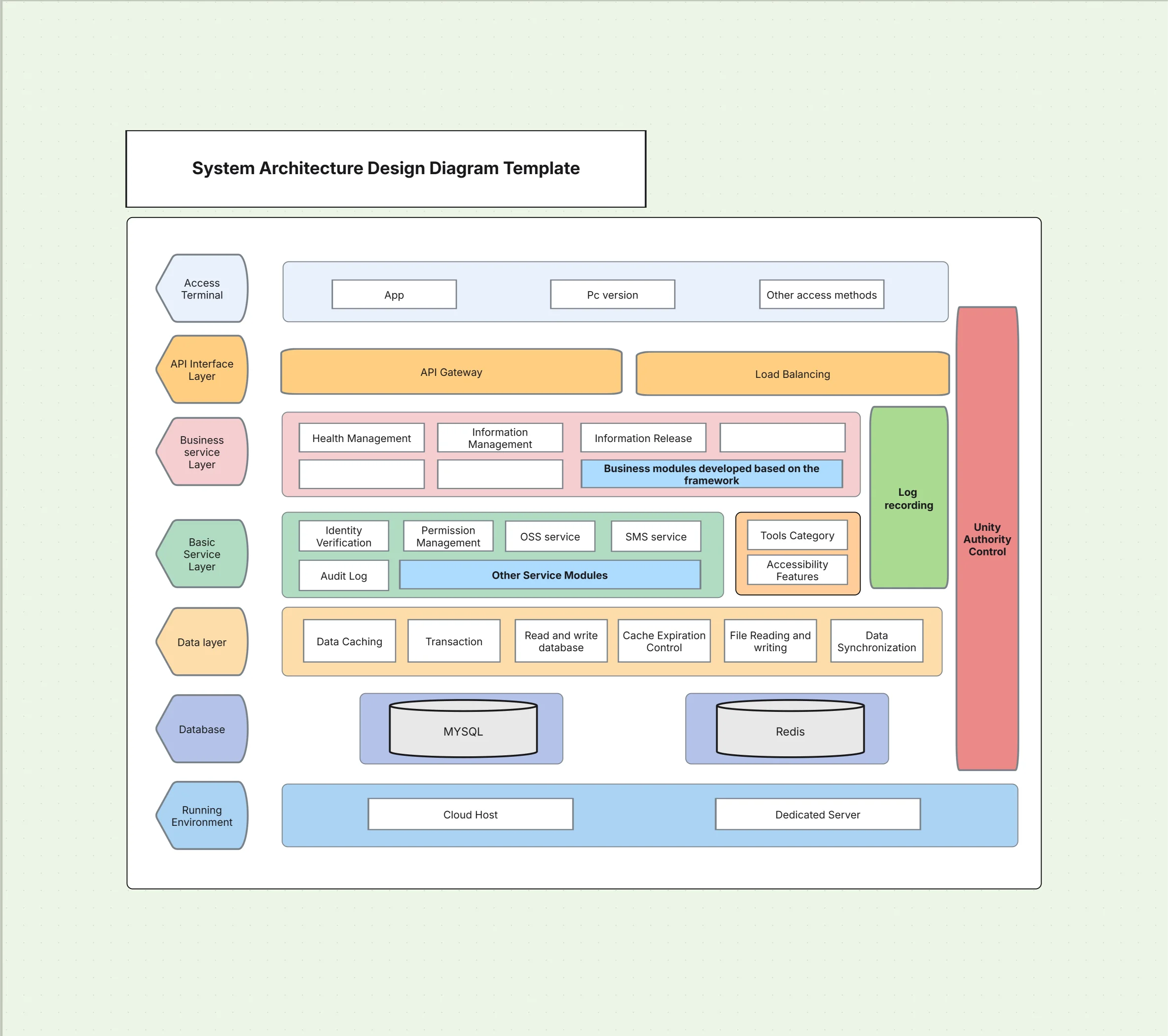
This is similar to a Layered Architecture Diagram, but kept at the big-picture level.
From my recent projects, I have learned to focus only on the primary flows that make a difference user interactions, main read/write processes, and any highly important third-party connections. My personal rule is to use directional arrows with short action words like “place order,” “charge card,” or “sync profile,” and skip protocol-level detail here. I take extra care to apply uniform line styles for synchronous versus nonsynchronous communication, while keeping every edge straight to maintain visual clarity.Reserve sequence or activity medications for deeper UML or C4 component diagrams.
For more detailed flows, you can use the UML Software Diagram Template.
When I create non-functional overlays, I make sure the high-level architecture diagram clearly communicates risk and quality attributes without overwhelming people with excess detail. I prefer to add subtle annotations or slightly shaded regions to identify security boundaries, planned availability strategies, and performance tweaks. Overlays should stay focused on the most important ideas for your viewer, while offering links to deeper documentation for anyone who needs a closer look. This approach keeps the diagram pleasant to read while also showing the system’s operational posture and practical constraints across environments.
For instance, in a Hybrid Cloud Architecture Template, make sure you sketch a distinct dividing line between the local on‑prem systems and the cloud parts so viewers immediately see the separation.Step-By-Step
Making a high-level architecture diagram is like drawing a map for your system.Use a simple, repeatable way so everyone’s work looks and feels the same. Begin with knowing your goal, then gather the main bits and arrange them carefully. Share it with your team, make changes together, and note down all the decisions. Keep the diagram in the same folder as your product’s notes and documents. Treat this diagram like something alive it will grow as the system grows and will help you build all the smaller, more detailed models later.
Download our exclusive hands-on guide to Designing Architecture Diagrams today to get a simple step-by-step process.
In a generic way, high-level diagrams provide a quick alignment of people across level and industries. They become useful in situations of RFPs, due diligence, security review, incidents postmortems, and product onboarding. The next slides will take you through some examples of a concise system architecture diagram to communicate scope, dependencies, and risk without going into cumbersome detail, thus enabling faster decision-making and cleaner handoffs towards engineering for deeper design work.
High-level architecture diagrams should be fast to read and easy to maintain. Favor clarity over completeness, name things consistently, and keep connections simple. Include a legend if you use special line styles or overlays. Finally, treat the diagram as living documentation by versioning it and pruning it aggressively as the system evolves.
The right tools reduce friction and keep your system architecture design consistent. Templates help teams start from proven layouts, while AI assistance speeds iteration and keeps labels uniform. Collaboration and version history prevent drift across squads and environments. Prioritize exports your stakeholders actually use (PDF for execs, SVG/PNG for wikis) and keep a single source of truth synced with your documentation.
Templates to Start With
Templates accelerate alignment by giving you structure, icon choices, and layout heuristics that already work. Use them as a baseline you can adapt to your domain and compliance needs. Each template below pairs well with deeper C4 or UML models to add detail later without redrawing the big picture.
Generic drawing tools make consistency hard and slow teams down. Cloudchart’s Architecture Diagram Maker standardizes patterns and accelerates creation, while keeping your system architecture diagram readable across audiences.
High-level system architecture diagrams are the foundation for discovery, alignment, and governance. They clarify scope, expose dependencies early, and give every stakeholder a shared language before implementation begins. Start with users, core systems, data stores, and external dependencies; group by layers or domains; and add only the non-functional overlays that matter. Then link to deeper C4 or UML views as the design evolves. This approach keeps your system architecture diagram clear, consistent, and truly useful across the project lifecycle.
Use the High-Level Architecture Diagram Template in Cloudchart to get started today.
Use Cloudairy template to streamline complex cloud tasks with simple, ready-made functions.
1.What should a high-level system architecture diagram include?
2. How is a high-level architecture diagram different from C4 or UML?
3. How many components should I show at the high level?
4. Should I show security, reliability, and performance?
5. What tools are best for high-level diagrams?
Start using Cloudairy to design diagrams, documents, and workflows instantly. Harness AI to brainstorm, plan, and build—all in one platform.
Table of Contents

Introduction
 Manage all your work in one placeCollaborate with your teamUse Cloudairy for FREE—forever
.webp)


.webp)
.webp)


