Org Chart
Online Org Chart Maker vs Manual Templates – Which Should You Use?


AI Workspace for Diagrams & Collaboration
Get your team started in minutes
Sign up with your work email for seamless collaboration.
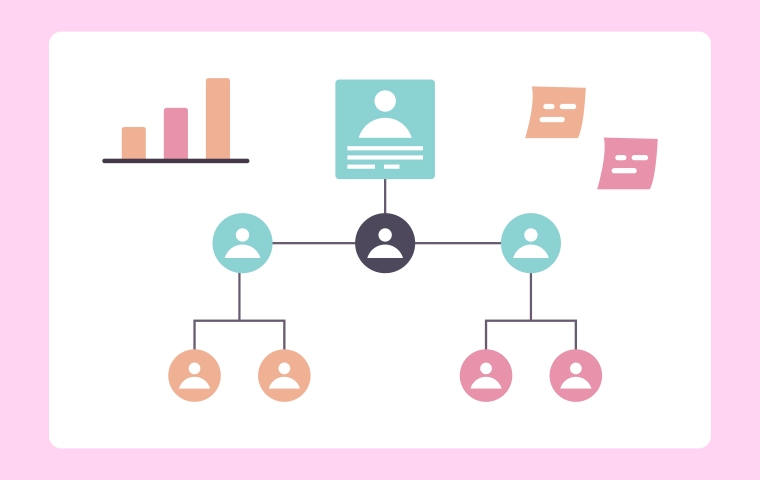
Creating an organizational chart may seem like a small task, but the right tool can make a huge difference in how your company communicates. Many teams still rely on manual org chart templates built in PowerPoint or Excel. While this approach works at first, it quickly becomes a source of confusion when structures change. On the other hand, an online org chart maker provides a modern, collaborative solution that evolves with your business in real time.
.webp)
In this guide, we’ll break down the pros and cons of both methods manual templates vs. online org chart makers. You’ll see how each fits different use cases, why teams are switching to tools like Cloudairy, and how online org charts help save time, reduce miscommunication, and keep everyone aligned.
Static visuals made in software such as PowerPoint, Google Slides, or Excel are called manual organization chart templates. They have a low learning curve and no need for special tools or training. Just drag the shapes around, type the names, connect the lines, and export as a PDF.
Of course, when organizations expand, the use of manual templates becomes a very difficult task to manage. A new employee, a promotion, or a reorganization demand manual edits, which very often end up causing outdated versions and formatting chaos. What starts as a simple task becomes hours of re-alignment and cleaning up.
Common tools for manual templates:
Manual charts serve as one-time visuals—not ongoing management tools.
A dynamic tool is not a necessity for all the organizations immediately. There are still situations where manual templates are more applicable. If the company is small or undergoing infrequent changes, then it is alright to do manual org chart since it is a perfectly efficient method.
Manual templates are basic, cheap, and adaptable but only fit for organizations with little growth or change.
As soon as your company starts scaling, static templates can’t keep up. The lack of real-time collaboration leads to outdated information, version confusion, and wasted effort trying to merge edits.
In growing companies, structure changes are constant—manual templates simply can’t handle the pace.
An online org chart maker is a web-based platform that lets you create, edit, and share org charts collaboratively. Tools like Cloudairy’s Org Chart Maker automatically handle spacing, connections, and visual formatting while allowing multiple people to edit simultaneously.
The result is a living document that stays accurate, visually consistent, and instantly shareable. Instead of attaching a file, you send a link. Everyone sees the same, up-to-date chart—no confusion, no duplicates.
Key features of online org chart makers:
Online org charts aren’t just prettier—they’re smarter, faster, and built for modern collaboration.
Switching to an online tool unlocks major advantages in visibility, accuracy, and teamwork.
The result? Fewer errors, faster updates, and a more transparent organization.
| Feature | Manual Templates | Online Org Chart Maker (Cloudairy) |
| Setup | Quick for small teams | Fast for all sizes with ready layouts |
| Editing | Manual and time-consuming | Drag-and-drop auto-layout |
| Version Control | Multiple conflicting copies | One live version shared with everyone |
| Collaboration | Single-user edits only | Real-time multi-user collaboration |
| Design | Inconsistent styling | Uniform branding and color presets |
| Accessibility | Stored locally or emailed | Cloud-based and always accessible |
| Maintenance | Frequent manual fixes | Instant updates and syncing |
Cloudairy’s org chart maker simplifies management—turning a static document into an interactive team hub.
You’ll know it’s time to move beyond manual templates when updates become too frequent or too slow. If these signs sound familiar, an online maker is your solution:
The more dynamic your organization, the more valuable an online tool becomes.
Switching to Cloudairy takes only minutes—and the platform handles most of the work for you.
Step 1: Import Your Data
Upload an Excel or CSV file with employee names, titles, and departments. Cloudairy automatically organizes them into a clean hierarchy.
Step 2: Select a Template
Choose a style that suits your business General for standard hierarchy, Modern for presentations, or Corporate for large-scale departments.
Step 3: Customize Design
Step 4: Share Instantly
Generate a live, secure link that you can embed in your intranet or send to teams. Export to PDF or PNG for reports and presentations.
Once live, your chart updates instantly whenever changes are made no re-sending files ever again.
Think of a new tech company that increased its staff from 12 to 60 in just six months. At first, they relied on a PowerPoint organization chart. Each new employee meant that the chart had to be updated by hand, and by the time HR rolled out the most recent version, already a lot of changes in positions had taken place.
After the introduction of Cloudairy, the HR team imported all personnel information in no time. The leaders of the departments frequently update the positions and the new employees get to see the correct chart on their first day. The whole organization works with a single version that is clear, brand-consistent, and updated in real time.
This visual instantly conveys the difference in clarity and efficiency between both methods.
Even with an online tool, structure only stays clear if you maintain it proactively. Follow these habits for best results:
These habits ensure your chart remains accurate, useful, and trusted by everyone.
1. What’s the biggest advantage of using an online org chart maker?
2. Is an online org chart maker secure?
3.Can I still export charts from Cloudairy?
4. What if my organization has multiple divisions or global offices?
5. Does Cloudairy integrate with HR tools or data sources?
Start using Cloudairy to design diagrams, documents, and workflows instantly. Harness AI to brainstorm, plan, and build—all in one platform.
Table of Contents

Introduction
 Manage all your work in one placeCollaborate with your teamUse Cloudairy for FREE—forever


 Related Articles

.webp)